

FAQ
How to use only a specific feature of Rsdoctor?
When we only need the Bundle Size bundle size analysis feature within Rsdoctor, we can add the corresponding features option when configuring the Rsdoctor plugin. Refer to the code snippet below:
Loader timing data is inaccurate?
The timing data provided by Rsdoctor for loaders is an estimated time. The reason accurate timing cannot be measured is that loader execution can be both asynchronous and synchronous functions, the bundler will parallelize the execution of multiple non-conflicting loader functions, and since JavaScript is single-threaded, multiple loader functions can compete for the current task queue. Furthermore, the asynchronous logic within loader functions cannot be recognized, causing a single loader function to potentially span across the execution of multiple other loaders. As a result, there are three possible cases, as shown in the following diagram:
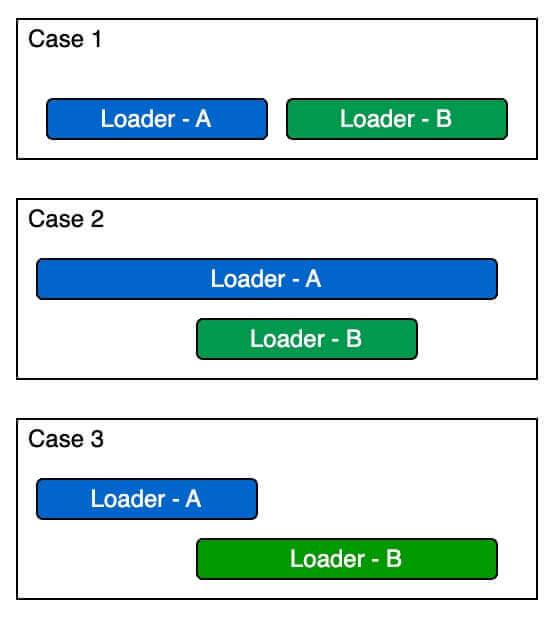
Therefore, the loader timing provided by Rsdoctor is an estimated value. The timing data we provide accurately reflects scenario 1 and scenario 2 from the diagram. As for scenario 3, we are still exploring solutions.
out of memory error when using Rsdoctor for building
If you encounter an out of memory error, you can try the following two methods, with the first one being recommended:
Method 1
Increase the Node.js memory limit, for example: NODE_OPTIONS=--max-old-space-size=8096.
Method 2
This issue is often caused by storing source code information during the build process, which exceeds the memory limit. Set output.reportCodeType to noCode or noAssetsAndModuleSource to reduce memory usage. See output.reportCodeType.
No Bundled/Parsed size for modules in bundle analysis?
Issue description
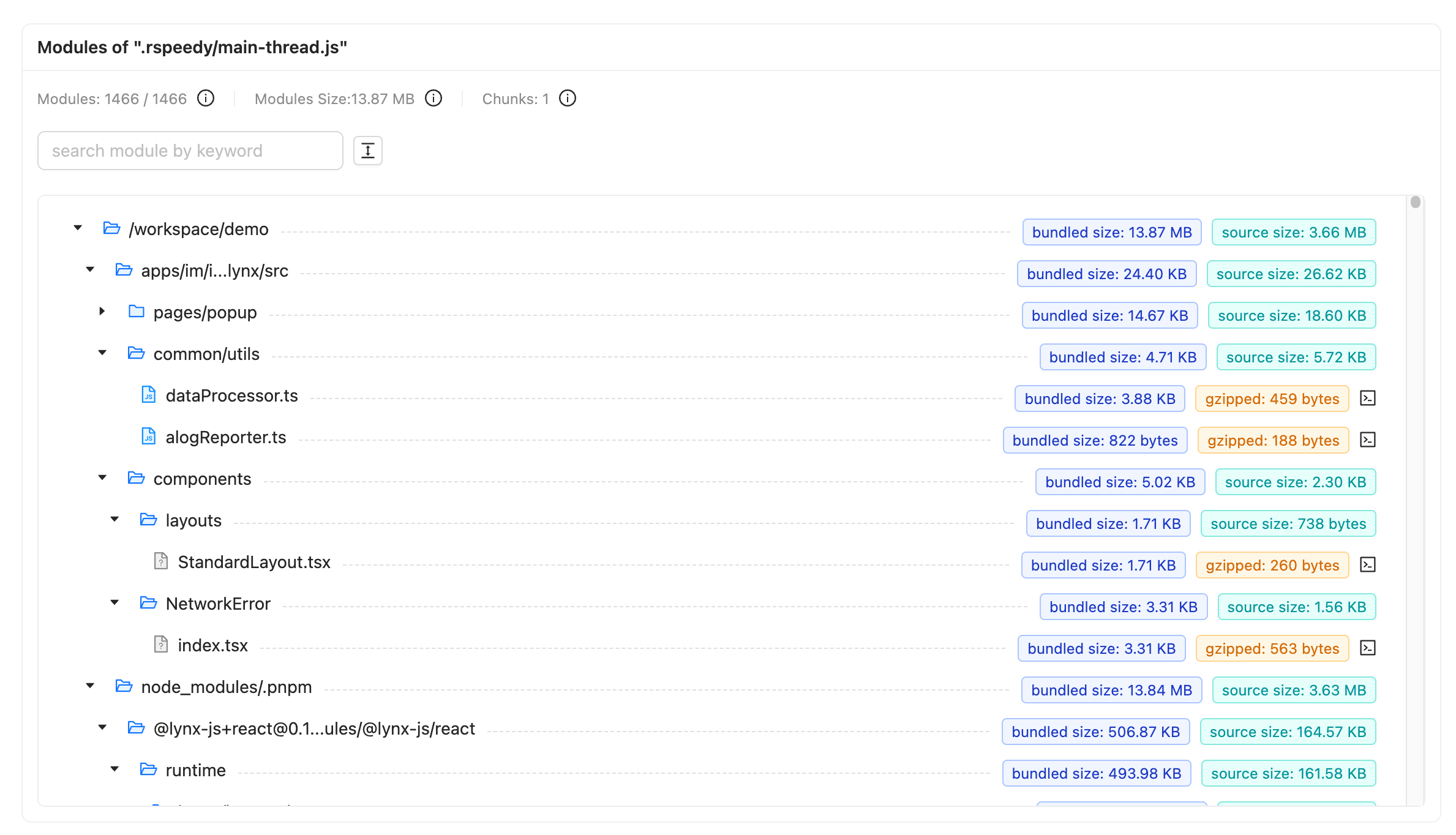
The difference between Source Size and Bundled Size:
- Source Size: The original size of the Module source code file (marked in cyan in the image below).
- Bundled Size: The final code size of the Module after bundling and minification (marked in blue in the image below).\
- Gzip Size: The final code size of the Module after gzip compression (marked in yellow in the image below).
Solution
If module sizes are missing, check the following:
- Confirm that your project uses Rspack 2 and that Rsdoctor is enabled for the compiler that produces the affected assets.
- Confirm that bundle analysis is enabled.
- If
supports.parseBundleisfalse, restore its default value oftrue. This lets Rsdoctor parse bundle code when source map data is unavailable.
If module sizes are available but code is missing, check output.reportCodeType and the report mode. Brief reports do not include code.
If module sizes are still missing, check whether a plugin changes generated code without updating its source maps. To help diagnose the issue, try enabling source maps only when running Rsdoctor:
Bundle analysis page no Bundled Size?
Issue description
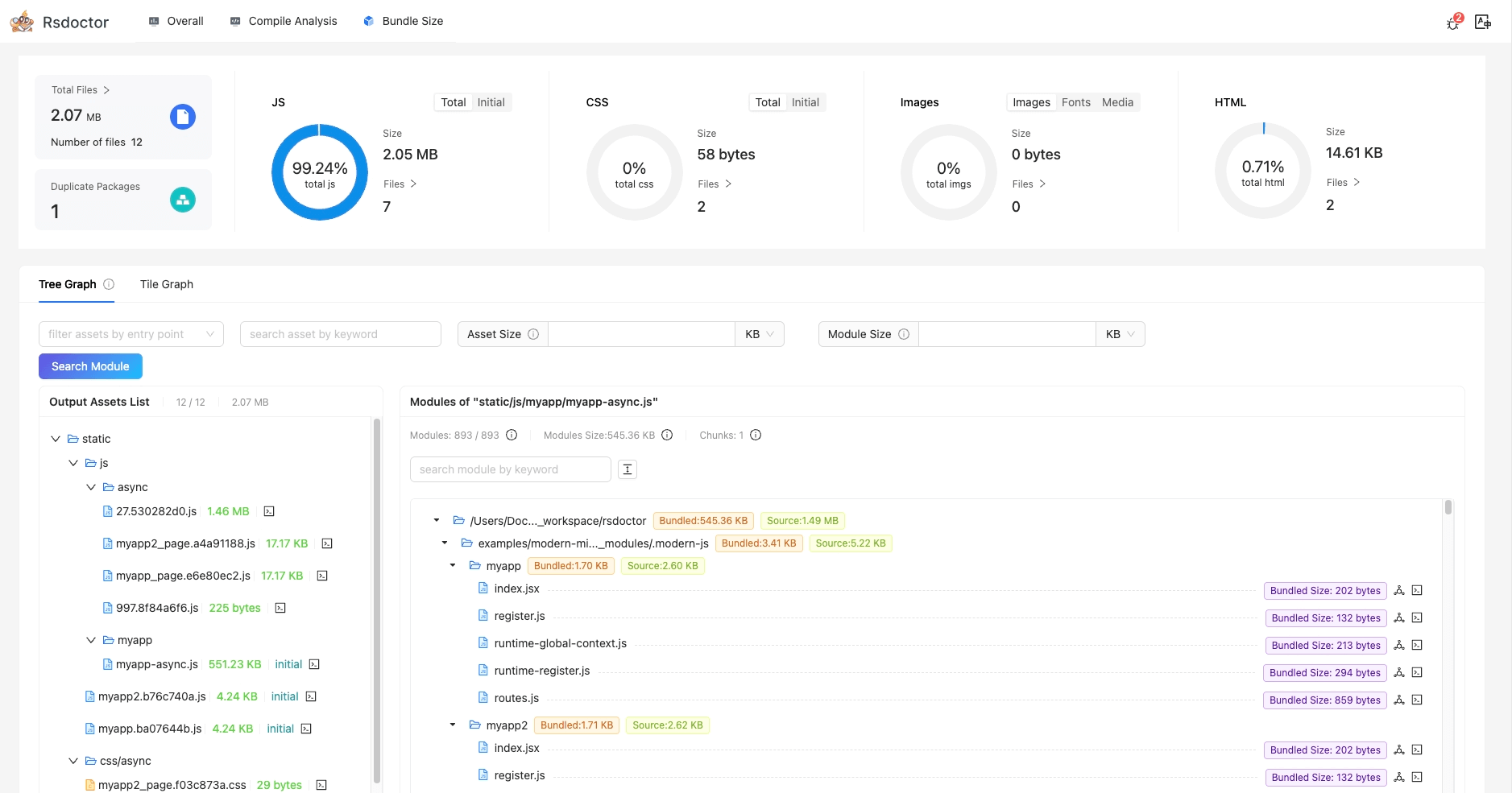
The difference between Source Size and Bundled Size:
- Source Size: The original size of the Module source code file (marked in purple in the image below).
- Bundled Size: The final code size of the Module after bundling and minification (marked in cyan in the image below).
Root cause
Module concatenation combines multiple modules into one closure. AST parsing alone cannot identify each module's code within that closure. Rsdoctor 2.x uses Rspack's native source map data to determine each module's bundled code and size.
Solution
Follow the checks above if Bundled Size is missing.
The loader of CssExtractRspackPlugin takes too long
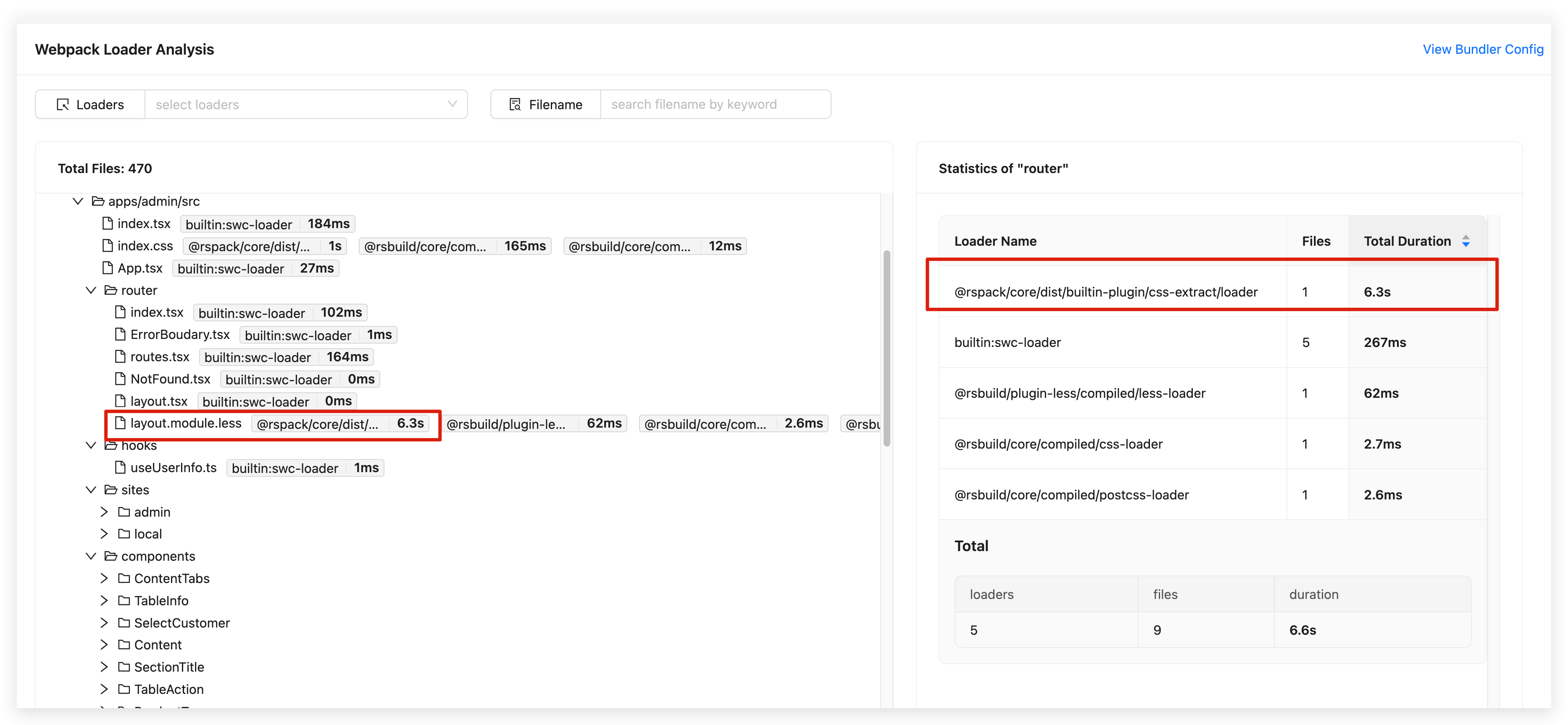
When using Rsdoctor to analyze the compilation time of Rspack projects, you may find that the loader of CssExtractRspackPlugin takes a long time. However, this figure does not represent the actual time taken by the CssExtractRspackPlugin's loader; it also includes the time taken by other loaders involved in compiling this module.
- Reason: The loader in CssExtractRspackPlugin asynchronously calls other loaders during the pitch phase and waits for the callback results after these loaders execute. Therefore, the time taken by CssExtractRspackPlugin actually includes the execution time of other loaders and idle time.
Using Rsdoctor with Re.Pack or custom bundle extensions
Rsdoctor now supports custom JavaScript bundle file extensions beyond the standard .js extension. This is particularly useful for projects like Re.Pack that use .bundle extensions.
Supported extensions
By default, Rsdoctor recognizes the following JavaScript bundle extensions:
.js- Standard JavaScript files.bundle- Re.Pack and other custom bundlers
No configuration required
If your project generates bundle files with a .bundle extension (e.g., main.bundle, vendor.bundle), Rsdoctor will automatically:
- Parse and analyze
.bundlefiles alongside.jsfiles - Display
.bundlefiles in the Bundle Analyzer Graph - Include
.bundleassets in JavaScript asset statistics - Support source map analysis for
.bundlefiles
How it works
The detection logic has been updated in the following areas:
- Bundle Parsing: The
parseBundlefunction now accepts both.jsand.bundleextensions when analyzing bundle contents. - Asset Filtering: Asset summary and filtering functions treat
.bundlefiles as JavaScript assets. - File Type Detection: All file extension matching utilities include
.bundleas a recognized JavaScript extension.
Example use case
Re.Pack projects typically generate bundles with the .bundle extension:
Rsdoctor will automatically detect and analyze these .bundle files without any additional configuration.